Release notes for Integration Manager
Version : 5.2.0.47
Release note:
Enhancements
#4340 - Improved performance with a new index for Log Databases when processing events without body or context (they will get processing state counted),
The dacpac version NOT stepped at this point since that would require an update of all Nodinite Log Databases. The index will be applied to all new databases created from this version.
The wrong version of Core and DAL was used during the build of 5.2.0.45. This build is with the correct ones.
An extra build script has been introduced to verify version and should eliminate it from happening again.
Size : N/A
Version : 5.2.0.42
Release note:
Enhancements
- Update the delete threading for logging service and split to separate for active and archive databases, This will improve the performance for processing events.
Fixed Issues (Bugs)
- Name of Resources and other entities were limited to 48 characters in some modals. Therefore it was hard to distinguish an entity. Now, this is changed to allow word-break and multiple lines.
Release date: 2020-12-23
Size : N/A
Version : 5.2.0.23
Release note:
Fixed Issues (Bugs)
- #4150 - Fix bug in stored procedure for insert of Monitor Events if the setting Whether the database is located on a remote server is enabled the SP failed
Release date: 2020-10-22
Size : N/A
Version : 5.2.0.22
Release note:
Fixed Issues (Bugs)
- #4147 - Cleanup could take long time if many Log Points (Endpoint + Message Type) existed in config database.
Size : N/A
Version : 5.2.0.20
Release note:
Enhancements
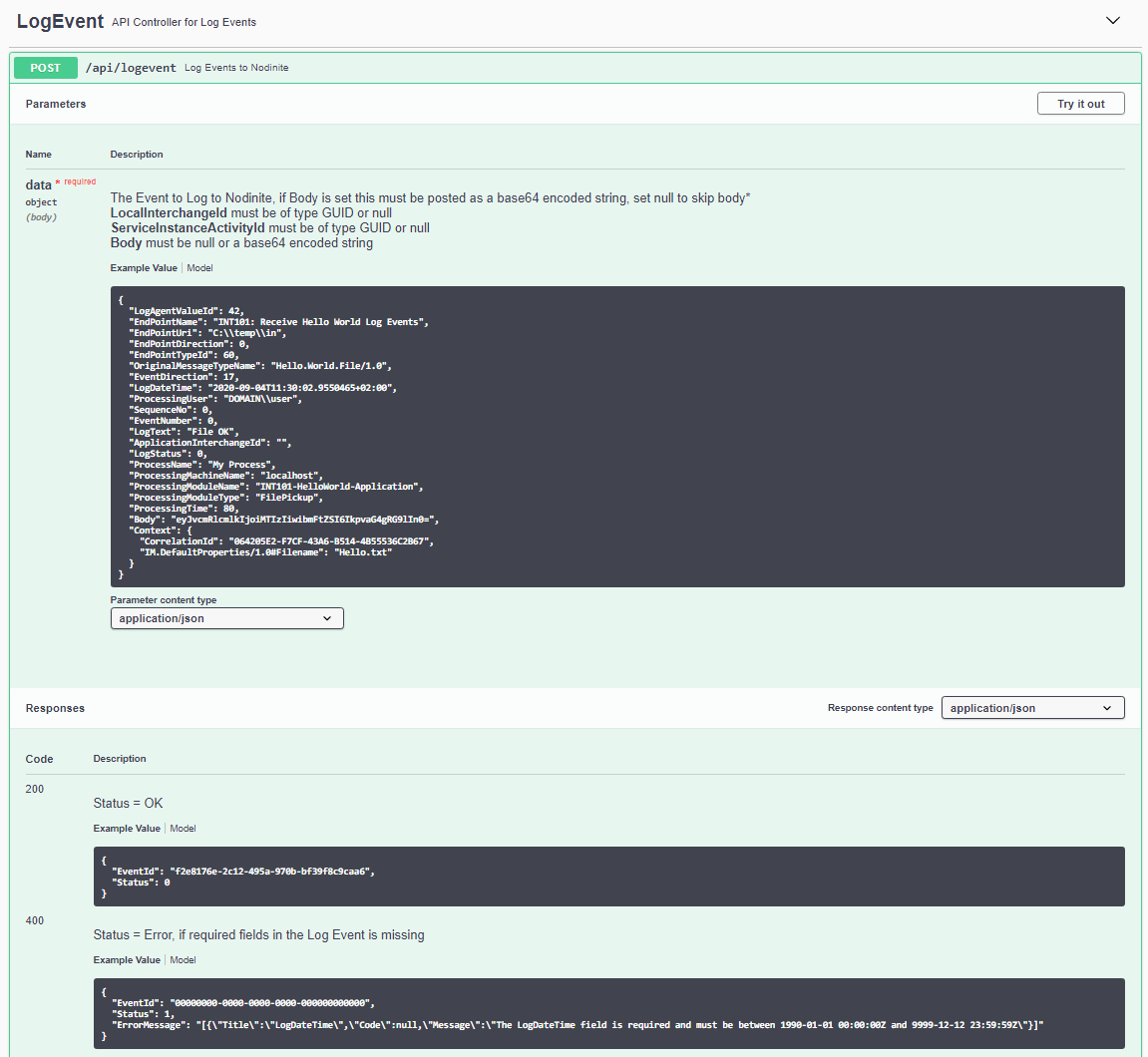
- Improved example in LogAPI for api/logevent with actual data and example body.
Fixed Issues (Bugs)
- #4107 - LogAPI failed to create new Message Type (the value from OriginalMessageTypeName) for events without Body/Context, (Object reference not set to an instance of an object.)
- #4103 - Fix broken link to Log Agent in edit modal of Log Views.
Release date: 2020-09-04
Size : N/A
Version : 5.2.0.18
Release note:
NOTE: If you are using any of the versions between 5.2.0.8 and 5.2.0.14, then you should update to this version or later if one exists. This ensures that data is logged correctly by the pickup service. The problem could happen during transfer of Log Events to Nodinite, Pickup service retries the operation if the Log API fails.
Brand New Features
- New Endpoint Types IBM Cloud Functions (47) and Microsoft Azure Functions (75) See documentation
Enhancements
- Improvements of descriptive texts on several places for a better user experience
- The Log API now correctly sets the number of bodies for the Log Event if more than one is being sent (multi-part support, think about an email with attachments).
Changes
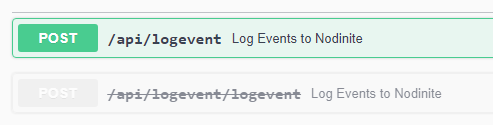
- A POST of Log Events to the Nodinite Log API should now be performed using /api/logevent, For backwards compatibility, the /api/logevent/logevent will continue to work for some time.
Fixed Issues (Bugs)
- #4100 - Solved a problem with a deadlock situation that happened if two events arrived to the Log API at the same time, This is a problem that can happen in versions between 5.2.0.8 and 5.2.0.14.
- #4066 - Summernote used for Knowledgebase Articles was buggy in fullscreen and did contain the wrong button colours (bad update in version 5.2.0.14 of Nodinite)
Release date: 2020-08-28
Size : N/A
Version : 5.2.0.14
Release note:
Brand New Features
- Events from BizTalk and other Log Agents which is not using the LogAPI is now counted. The processing state will be set to counted.
- Message Type will be resolved from BizTalk / Nodinite, If the Message Type is unable to be located in BizTalk the Unparsed Interchange/Serialized Interchange will be used.
- Event direction will be set for one way ports in BizTalk
 To set default Message Type in Nodinite for BizTalk ports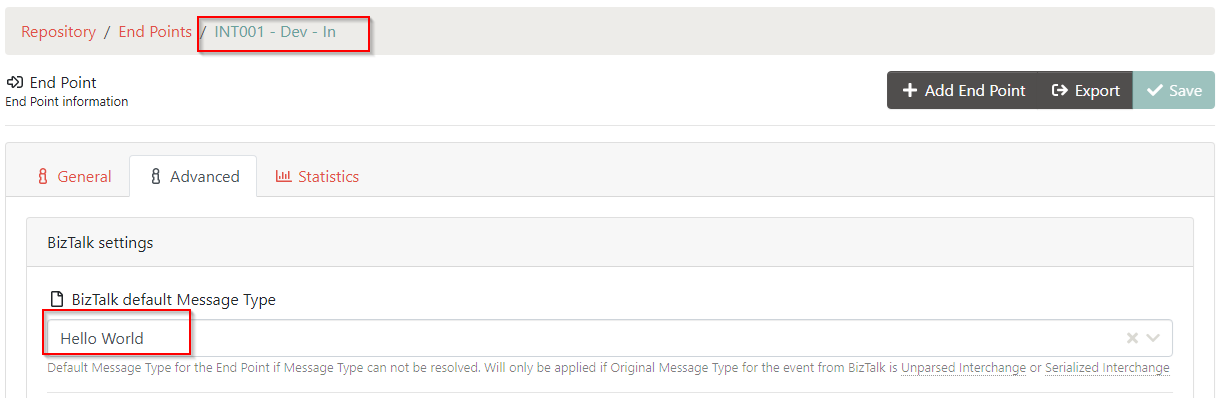
Enhancements
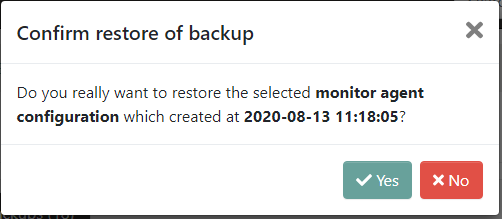
- #3954 - The backup time is now shown in the confirm modal on restore.
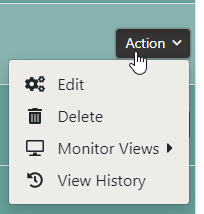
- #4030 - View History is added to the action menu for resources.
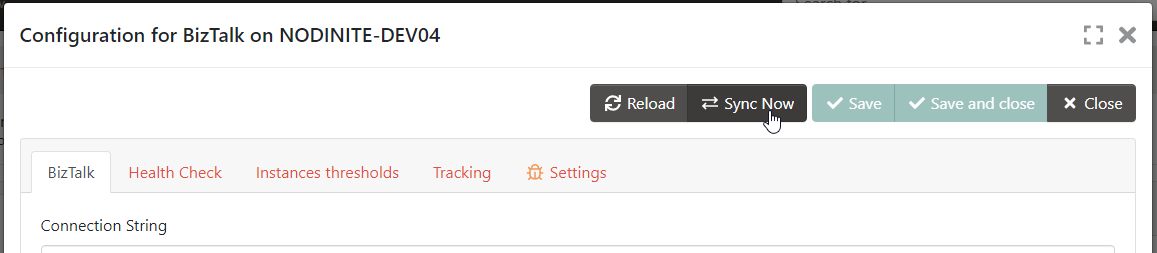
- #4077 - The Monitoring Agent can be synced from the remote configuration modal.
- New index in Log database to improve log audit search, will be used for new databases, ( can manually be updated for existing databases )
Fixed Issues (Bugs)
- #4049 - Recurrence did not use the specific settings, when triggered from the alarm in the Monitor View
- #4066 - Duplicates of images as a result of paste operations (CTRL + V) to Articles
- #3955 - Remove export of the default End Point Unknown, also disable change of the values that make den End Point unique (Name, URI, Direction, End Point Type and Log Agent)
- Preview of a stylesheet with output as XML, was not working. The XML was identified as HTML before.
- Export of event did not set the Event Direction
- The LogAPI, Service API did report wrong installation path in Nodinite overview
- Update email plugins with a fix that auto adds the ending slash for Web Client URL, make the links path correct
Release date: 2020-08-18
Size : N/A
Version : 5.2.0.10
Release note:
Brand New Features
- #4042 - Stylesheets can now set the content-type header to see the correct output see more in the documentation
Nodinite use the attributes media-type or method on the element xsl:output to get the correct MIME type
1. If set use the value set on media-type
2. Else use the method html -> text/html, xml -> text/xml or text -> text/plain

Enhancements
- Update text for cleanup of Message Types
Fixed Issues (Bugs)
- Fix control center action slow to render the correct text in modal confirm (for operations like delete yes/no)
Size : N/A
Version : 5.2.0.9
Release note:
Same as 5.2.0.8 but now with the plugins in the folder for Logging Service
IF you are using a previous 5.2.0.x version, then you SHOULD update to this or a later version of Nodinite due to the bugs resolved with this version
Brand New Features
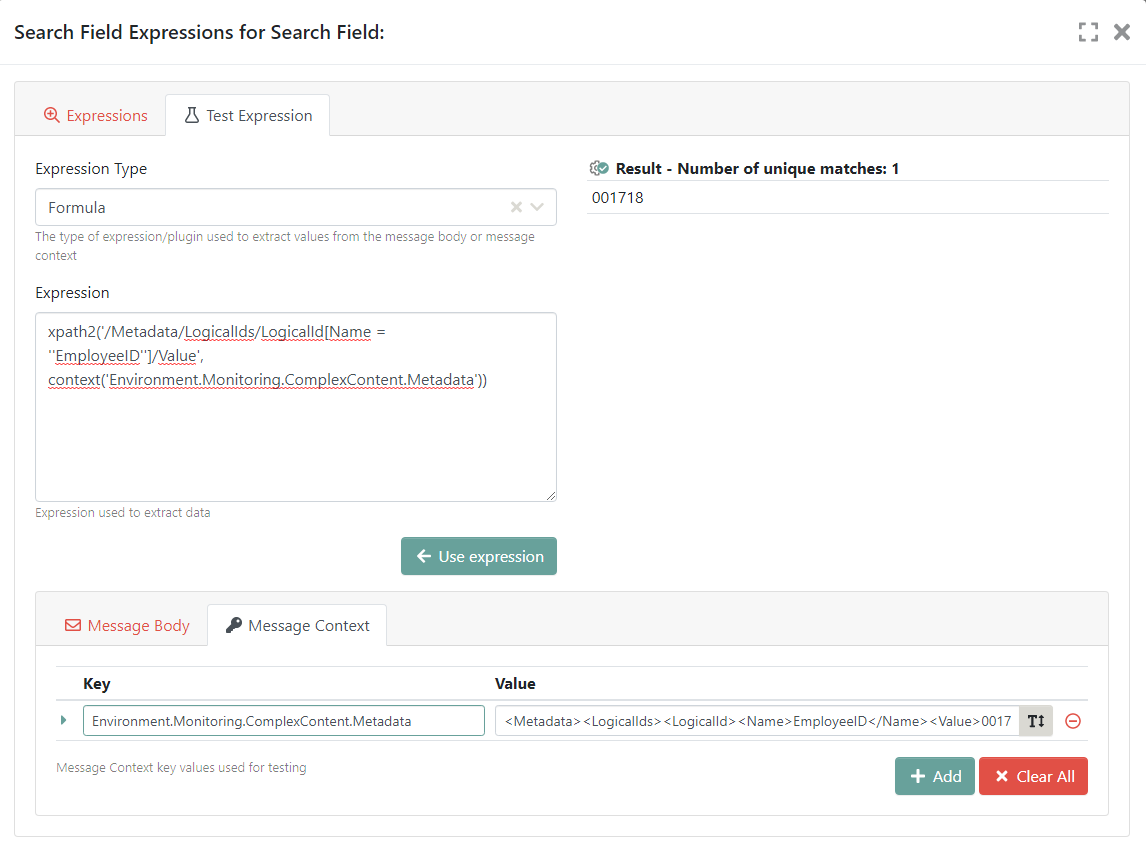
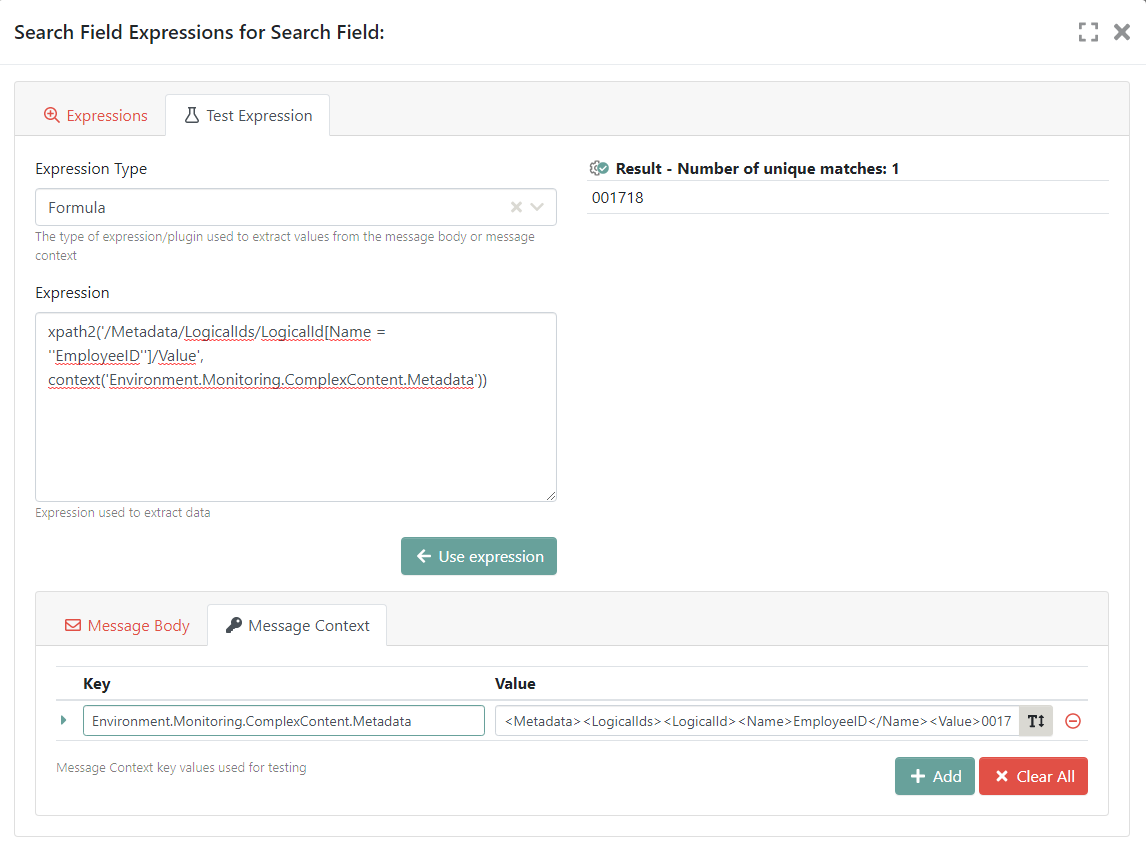
- Updated Search Field Plugin Formula with support for XPath 2.0 (for all expressions as, look behind, ...)
NOTE 1: If you are using expressions today where single quote character is used, you must rewrite them to escape using another single quote. That is FROM: ' to '' example xpath('//*[local-name()='a']') to xpath('//*[local-name()=''a'']')
NOTE 2: Use XPath2 only for "small" messages since these will be loaded into RAM and by doing so, you can crasch Nodinite, delay processing and stress your system beyond what it was designed for. Do not apply XPath2 expression on messages larger than a few MB. For large messages, make sure to use XPath.
- New parameter for the stored procedure copying data from BizTalk to Nodinite. This parameter is default 60 seconds and delays the data due to the fact that BizTalk during high load may write the events out of sequence. This new feature makes logging more robust and reliable but delays the time until data is visible in Nodinite.
NOTE: You can tune this parameter as you feel fit and a future version of Nodinite will have a System Parameter to fa
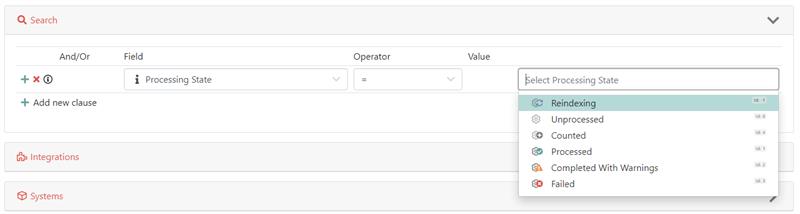
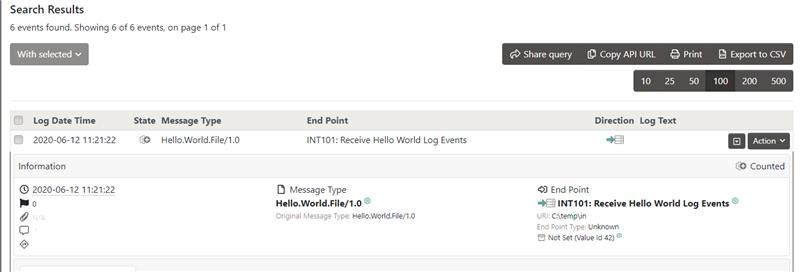
- New Processing state Counted
Enhancements
- Statistics now counts all events even if they have no body/context.
Changes
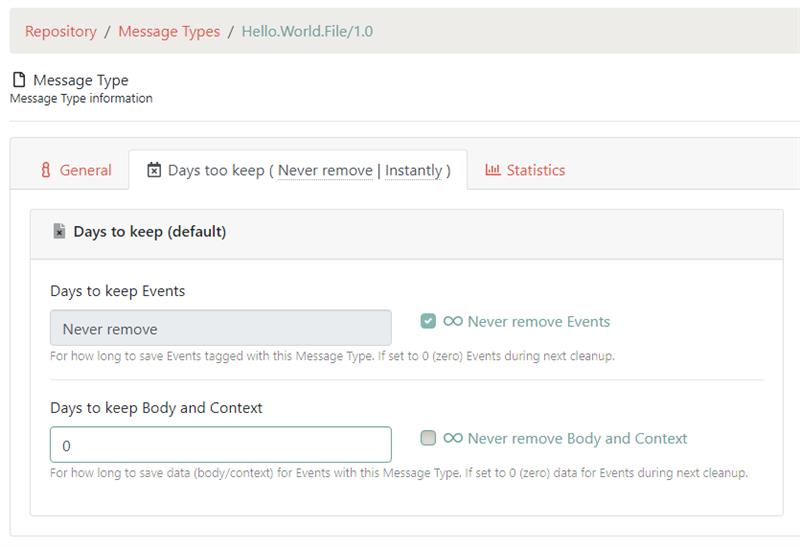
- Manage Message Type has new layout with correct handling of the special case when user opt to keep the data forever
Fixed Issues (Bugs)
- DaysToKeepMessages and DaysToKeepData is nullable in 5.2 to represent that messages should never be removed. Customers who set MessageType to 0 for these the ones that should be stored forever (NULL) and data was therefor removed instantly instead of being stored. Web Client GUI error, correct in the backend and conversion scripts.
- Link in managing Log Views for Search Fields had invalid URL
- #4006 Description for custom values was missing in various places
- #4001 Fix buttons in modal footer when using Internet Explorer (which by the way is a browser you should not be using anymore...)
Upgrade Requirements
- As always, make sure to use the latest version of the install and update tool
Release date: 2020-06-12
Size : N/A
Version : 5.2.0.8
Release note:
IF you are using a previous 5.2.0.x version, then you SHOULD update to this or a later version of Nodinite due to the bugs resolved with this version
Brand New Features
- Updated Search Field Plugin Formula with support for XPath 2.0 (for all expressions as, look behind, ...)
NOTE 1: If you are using expressions today where single quote character is used, you must rewrite them to escape using another single quote. That is FROM: ' to '' example xpath('//*[local-name()='a']') to xpath('//*[local-name()=''a'']')
NOTE 2: Use XPath2 only for "small" messages since these will be loaded into RAM and by doing so, you can crasch Nodinite, delay processing and stress your system beyond what it was designed for. Do not apply XPath2 expression on messages larger than a few MB. For large messages, make sure to use XPath.
- New parameter for the stored procedure copying data from BizTalk to Nodinite. This parameter is default 60 seconds and delays the data due to the fact that BizTalk during high load may write the events out of sequence. This new feature makes logging more robust and reliable but delays the time until data is visible in Nodinite.
NOTE: You can tune this parameter as you feel fit and a future version of Nodinite will have a System Parameter to fa
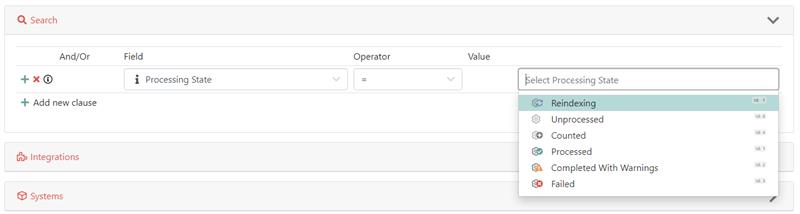
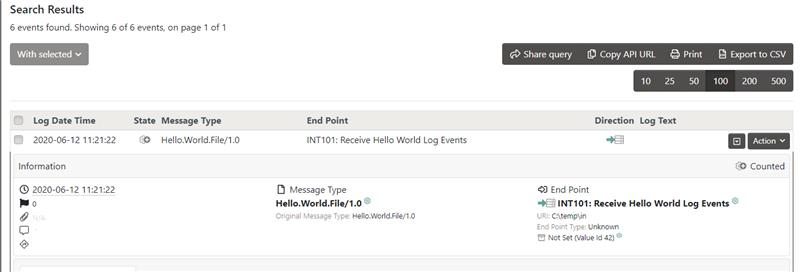
- New Processing state Counted
Enhancements
- Statistics now counts all events even if they have no body/context.
Changes
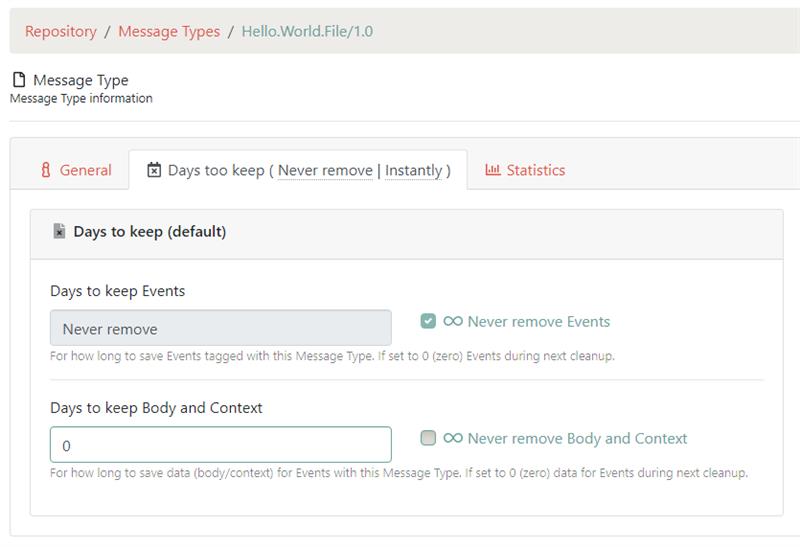
- Manage Message Type has new layout with correct handling of the special case when user opt to keep the data forever
Fixed Issues (Bugs)
- DaysToKeepMessages and DaysToKeepData is nullable in 5.2 to represent that messages should never be removed. Customers who set MessageType to 0 for these the ones that should be stored forever (NULL) and data was therefor removed instantly instead of being stored. Web Client GUI error, correct in the backend and conversion scripts.
- Link in managing Log Views for Search Fields had invalid URL
- #4006 Description for custom values was missing in various places
- #4001 Fix buttons in modal footer when using Internet Explorer (which by the way is a browser you should not be using anymore...)
Upgrade Requirements
- As always, make sure to use the latest version of the install and update tool
Size : N/A
